
This article was updated in March 16, 2026 with new products and information by Mark S. Taylor
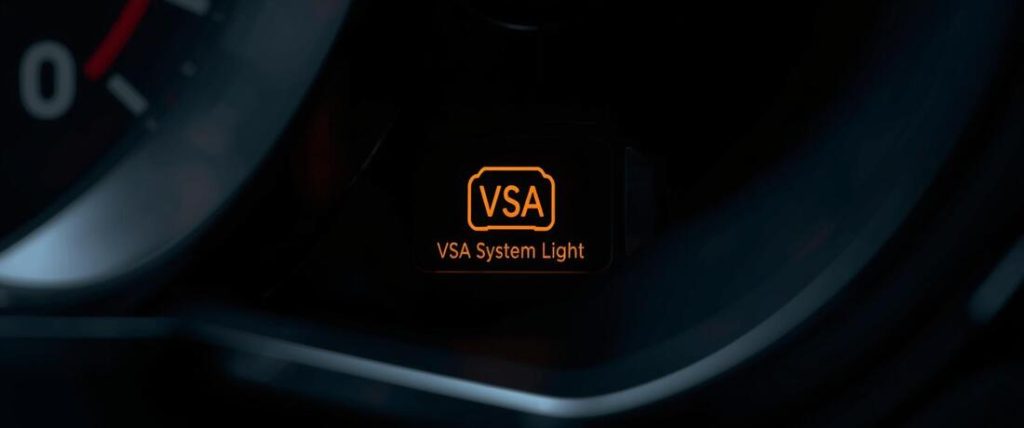
You started your Honda or Acura this morning and the dashboard shows “Check VSA System” — or the VSA light is on and won’t go out. Before you panic about a major repair, here is the most important thing to know: the most common cause is a single wheel speed sensor worth $17–$40. VSA stands for Vehicle Stability Assist, which is Honda and Acura’s name for stability control, and the “Check VSA System” message means the vehicle has detected a fault that has disabled this safety system. We will explain the difference between a flashing and solid light, 9 causes from cheapest to most expensive, and a step-by-step guide to diagnose it.
Contents
- 1 What Does “Check VSA System” Actually Mean vs. the VSA Warning Light?
- 2 Critical First Step — You Need a Honda-Compatible Scanner
- 3 The Cascade Trigger — Why One Sensor Lights Up Five Warning Lights
- 4 The First 3 Things to Check Before Calling a Shop (Free)
- 5 9 Causes of “Check VSA System” — From Cheapest to Most Expensive
- 5.1 1. Bad or Dirty Wheel Speed Sensor — The Most Common Cause
- 5.2 2. Worn or Failing Wheel Bearing
- 5.3 3. Steering Angle Sensor (SAS) Fault or Miscalibration
- 5.4 4. Low Brake Fluid or Brake System Issue
- 5.5 5. VSA Button Accidentally Pressed / System Intentionally Disabled
- 5.6 6. Incorrect Tire Size or a Space-Saver Spare Tire
- 5.7 7. Engine Misfire — VCM and VSA Cascade
- 5.8 8. Honda Soy-Based Wiring Insulation — Rodent Damage
- 5.9 9. Failed ABS / VSA Modulator (Most Expensive)
- 6 Honda Model-Specific VSA Causes — Common Patterns by Vehicle
- 7 How to Reset the VSA Light — Three Methods
- 8 Is It Safe to Drive With the Check VSA System Light On?
- 9 VSA Repair Cost
- 10 FAQs About Check VSA System Light On
- 10.1 What is the most common cause of the VSA light on a Honda?
- 10.2 Can I reset the VSA light myself?
- 10.3 Why did my VSA, ABS, and power steering lights all come on at the same time?
- 10.4 Why does my VSA light come on after a battery replacement?
- 10.5 How much does it cost to fix the VSA system on a Honda?
- 11 Bottom Line — What to Do Right Now
What Does “Check VSA System” Actually Mean vs. the VSA Warning Light?
There are two different VSA indicators on your dashboard, and knowing which one you have changes the diagnosis.
| What You See | What It Means | Urgency |
|---|---|---|
| VSA light flashes briefly while driving | Normal. VSA is actively stabilizing your car. | ✅ None. This is correct operation. |
| VSA light flashes at startup then goes out | Normal startup self-test. | ✅ None. |
| VSA light stays on solid | System fault detected OR VSA button was pressed. | ⚠️ Check if button was pressed; scan codes. |
| “Check VSA System” text message | A specific fault code is stored. | ⚠️ Scan with Honda-compatible scanner. |
| VSA + ABS + Power Steering lights on | Single component failure (usually sensor) triggering cascade. | ⚠️ Don’t panic. Likely one sensor. |
Key Insight: If the text message “Check VSA System” appears, a code is stored. If just the light is on, check if the button was pressed.
Critical First Step — You Need a Honda-Compatible Scanner
This is the most important practical guidance in this entire article.
The VSA and ABS systems store fault codes in a separate module from the engine computer. A standard generic OBD-II scanner, the kind auto parts stores lend for free, only reads engine codes. It cannot see VSA codes.
Short Answer: When a generic scanner shows “no codes,” it does not mean your VSA system is fine. It means the scanner cannot see the problem.
You need a scanner that supports Honda ABS/VSA module reading. Tools like the BlueDriver Bluetooth, Autel AL619, or Launch CR529 work well. If you do not have one, many Honda dealers will read the code for a low fee.
The Cascade Trigger — Why One Sensor Lights Up Five Warning Lights
This is the single most important context before you worry about a $1,500 repair.
The VSA system shares sensor data with ABS, Electric Power Steering (EPS), and the engine. When one component fails, every system that needs that data is affected.
Real-World Example: A left front wheel speed sensor fails. ABS sees bad speed data and disables. VSA needs ABS, so it disables. Power steering needs VSA data, so it may disable. Result: ABS light, VSA light, Power Steering light, and the “Check VSA System” message all turn on at once.
The Truth: When multiple lights appear simultaneously, it is almost always one single failed part, not five broken systems.
The First 3 Things to Check Before Calling a Shop (Free)
1. Did You Recently Have Any Work Done?
If the light appeared right after a battery change or wheel alignment, it is likely a calibration issue. The steering angle sensor lost its neutral position.
The Fix: Return to the shop. Ask for a “steering angle sensor neutral position reset.” This is often free.
2. Check Your Brake Fluid Level
Low brake fluid affects ABS hydraulic pressure. If the level is below the sensor, the VSA system disables.
Action: Look at the reservoir in the engine bay. If it is low, top it up. Use the correct DOT fluid. Check your manual for the right type, or see our guide on DOT 3 vs DOT 4 brake fluid. If the fluid is low, check for leaks. Brake fluid does not evaporate.
3. Check if the VSA Button Was Accidentally Pressed
Every Honda has a button to disable VSA. It is usually to the left of the steering wheel. It is easy to press by mistake.
Action: Press and hold the button for 3 seconds. Listen for a beep. If the light goes out, you solved it.

9 Causes of “Check VSA System” — From Cheapest to Most Expensive
1. Bad or Dirty Wheel Speed Sensor — The Most Common Cause
One bad wheel speed sensor is the top reason for this light. Each wheel has a sensor that reads the speed of the hub. If it gets dirty or fails, the computer cannot compare wheel speeds.
The Cascade: The VSA module sees a mismatch. It disables the system. The Fix: A Honda-compatible scanner will tell you exactly which corner failed. Cost: $17 – $80 for the part. You can often replace it yourself with a socket set.
2. Worn or Failing Wheel Bearing
Wheel bearings often have a magnetic ring for the sensor. If the bearing wears out, the ring wobbles. The sensor reads this as erratic speed.
Symptom: The lights may flicker or come on at certain speeds. You might hear a roaring noise that changes when you turn. Cost: $200 – $500 installed.
3. Steering Angle Sensor (SAS) Fault or Miscalibration
This sensor tells the computer where the steering wheel is pointed. If it loses calibration, VSA does not know if you are turning or going straight.
Cause: Battery disconnect or suspension work. Fix: Try a calibration reset before replacing the part. Cost: $50 – $150 for calibration. $200 – $450 for replacement.
4. Low Brake Fluid or Brake System Issue
The VSA system applies brakes to correct your car’s path. If the hydraulic pressure is low, it cannot work.
Context: Low fluid often means worn brake pads. As pads wear, calipers extend, dropping the fluid level. Action: Check fluid. If the pedal feels soft, read our guide on why is my brake pedal spongy.
5. VSA Button Accidentally Pressed / System Intentionally Disabled
This is a simple user error. If the text message “Check VSA System” is NOT on the dash, but the light is, check the button. If the text message IS on the dash, this is not the cause.
6. Incorrect Tire Size or a Space-Saver Spare Tire
VSA needs all four tires to be the same size. A “donut” spare is smaller. It spins faster than the others. VSA thinks the car is sliding.
Action: If you are on a spare, press the VSA button to turn the system off. This stops the warning. Fix the tire soon.
7. Engine Misfire — VCM and VSA Cascade
Some Honda V6 engines use Variable Cylinder Management (VCM). If a spark plug fouls or a coil fails, the engine misfires. This confuses the VSA system.
Pattern: The Check Engine Light flashes along with the VSA light. Action: Fix the engine misfire first. The VSA light will likely clear. We cover this in our article on causes of an engine misfire.
8. Honda Soy-Based Wiring Insulation — Rodent Damage
Honda used soy-based insulation on wires from roughly 2012 to 2020. Rodents eat it. They often chew wires near the wheel wells.
How to Check: Look under the hood for chewed wires or rat nests. Cost: $100 – $800 depending on damage.
9. Failed ABS / VSA Modulator (Most Expensive)
This is the hydraulic pump that controls the brakes for stability. If the internal solenoids fail, VSA turns off.
Confirmation: Only confirm this if you have tested all sensors and wiring. Cost: $800 – $2,000 installed. Always get a second opinion before replacing this.
Honda Model-Specific VSA Causes — Common Patterns by Vehicle
| Model | Most Common Cause | Notes |
|---|---|---|
| Civic (2012–2018) | Wheel speed sensor; rodent damage. | Check wiring near wheels. |
| Accord V6 | VCM engine misfire; wheel speed sensor. | Look for flashing Check Engine Light. |
| CR-V | Steering angle sensor; wheel speed sensor. | Common after battery work. |
| Pilot | Wheel bearing; VCM misfire. | Bearings often fail after 100k miles. |
| Odyssey | ABS modulator; wheel speed sensor; low fluid. | Modulator issues more common here. |
| Acura MDX / RDX | Steering angle sensor. | Often needs reset after alignment. |
How to Reset the VSA Light — Three Methods
Method 1 — Simple Battery Disconnect (Soft Reset)
Use this if the light came on after a battery change or for no clear reason.
- Turn the ignition off.
- Disconnect the negative battery terminal.
- Wait 60 seconds.
- Reconnect the terminal.
- Drive the car for 10 miles.
If the light comes back, you have a hard fault.
Method 2 — VSA Button Re-Enable
Use this if you suspect the button was pressed.
- Locate the VSA button (left of the steering wheel).
- Press and hold for 3 seconds until you hear a beep.
- Check if the light turns off.
Method 3 — Honda-Specific Scanner Code Clear
Use this after you fix the broken part.
- Connect the scanner.
- Select “ABS” or “VSA” module.
- Read and write down the codes.
- Select “Clear Codes.”
- Drive the car to confirm the fix.
Is It Safe to Drive With the Check VSA System Light On?
| Situation | Safe to Drive? | Action |
|---|---|---|
| VSA light only, drives normally | ✅ Cautious | Scan codes within 1 week. |
| VSA + ABS light | ⚠️ Reduced Safety | No ABS. Longer stops. Avoid highway. |
| VSA + ABS + Power Steering | ⚠️ Caution | Likely one sensor. Avoid sharp turns. |
| VSA + Flashing Check Engine Light | ❌ Not Recommended | Active misfire. Damage risk. Drive to shop now. |
| On a space-saver spare tire | ✅ Expected | Manually turn VSA off via button. |
Safety Note: The car will drive normally without VSA. You just lose the safety net that keeps you stable on ice or in sharp turns.
VSA Repair Cost
| Component / Service | Estimated US Cost |
|---|---|
| Wheel speed sensor (DIY) | $17 – $80 |
| Wheel speed sensor (Installed) | $80 – $180 |
| Wheel bearing / hub assembly | $200 – $500 |
| Steering angle recalibration | $50 – $150 |
| Brake fluid flush | $80 – $150 |
| Wiring repair (rodents) | $100 – $800 |
| ABS / VSA Modulator (Installed) | $800 – $2,000 |
FAQs About Check VSA System Light On
What is the most common cause of the VSA light on a Honda?
A faulty or dirty wheel speed sensor is the most common cause. It triggers the VSA light, ABS light, and sometimes the power steering light. The part costs between $17 and $80.
Can I reset the VSA light myself?
Yes, in some cases. If the light appeared after a battery disconnect, try disconnecting the negative terminal for 60 seconds. If the button was pressed, hold it for 3 seconds. If there is a real fault, the light will return until you fix the part.
Why did my VSA, ABS, and power steering lights all come on at the same time?
This is almost always a single failed wheel speed sensor. These systems share data. When one sensor fails, all three systems lose the data they need and turn on their warning lights.
Why does my VSA light come on after a battery replacement?
The steering angle sensor lost its calibration. The VSA system does not know where “straight” is. You need a steering angle sensor reset using a compatible scan tool.
How much does it cost to fix the VSA system on a Honda?
Costs range from $0 (button pressed) to $2,000 (modulator failure). The most common repair, a wheel speed sensor, costs $80–$180 at a shop.
Bottom Line — What to Do Right Now
- Check the button and fluid: These are free fixes.
- Check the tires: Ensure you are not on a spare.
- Get a Honda scanner: Do not rely on generic scanners.
- Scan the codes: If the code points to a wheel sensor, start there.
- Check the cascade: If multiple lights are on, remember it is likely one cause.
Golden Rule: Get a Honda-compatible scanner before you spend money on parts. A diagnostic fee at a dealer is cheaper than guessing and replacing the wrong part.
Quick Summary
“Check VSA System” indicates a fault in the stability control system.
- The most common cause is a bad wheel speed sensor ($17–$80).
- A generic scanner cannot read VSA codes; you need a Honda-compatible tool.
- Multiple warning lights (VSA, ABS, PS) usually mean a single sensor failed.
- Check brake fluid and the VSA button before buying parts.
- Using a space-saver spare tire can trigger this light.
- Do not ignore a flashing Check Engine Light combined with VSA lights.